
The lightest memoryyour Mac can have.
Every screenshot and copy, searchable from your notch and ready to drag out as a real file. All on your Mac, nothing leaves it.
macOS Tahoe and Apple Silicon required
Two ways in. Both on your Mac.
A glance, or the whole history.
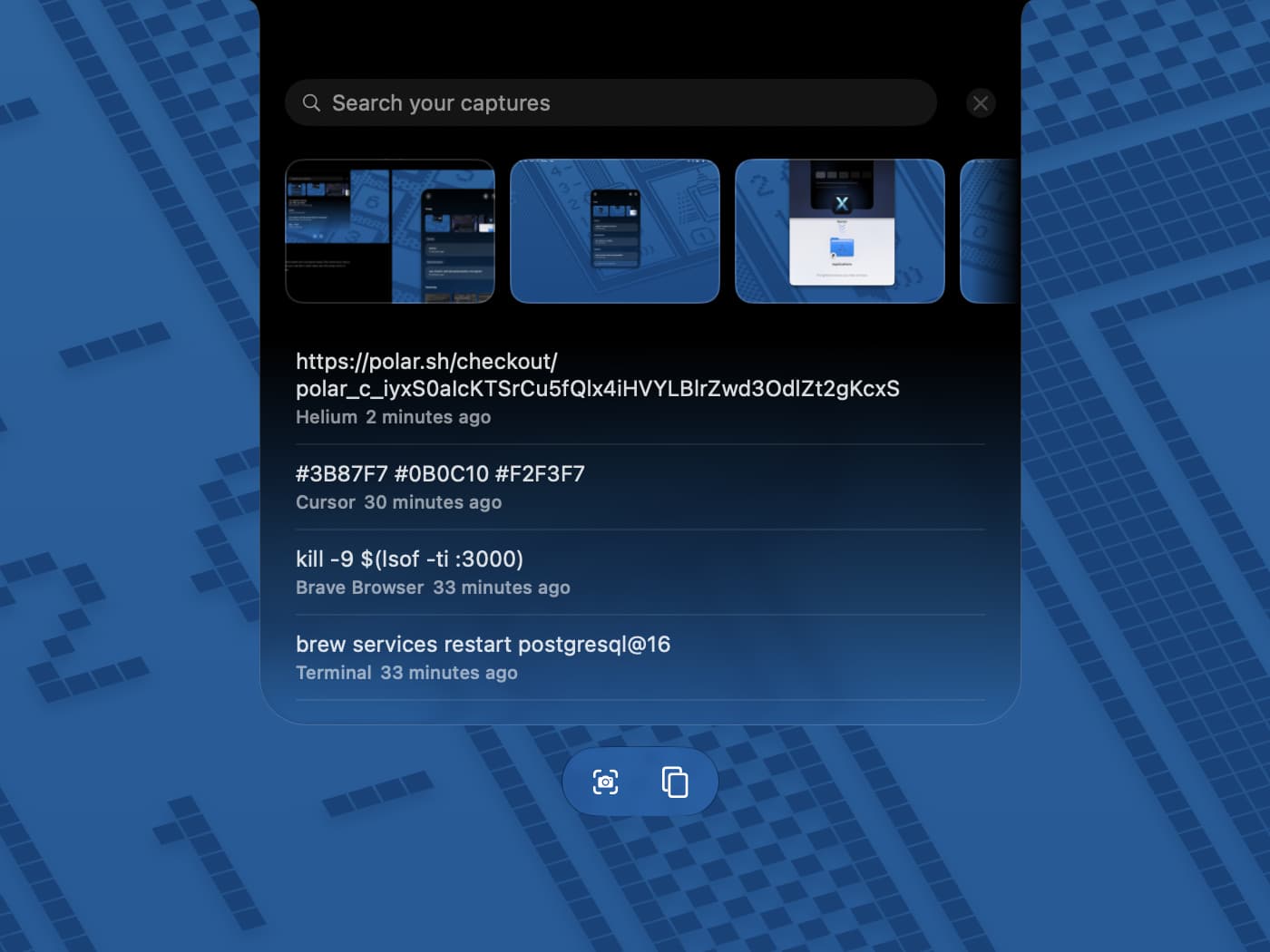
Hover the notch
The shelf
Your most recent screenshots and copied text, one glance away. Click anything to copy it, or drag a screenshot straight out as a real file. It never takes over the screen, and it is gone the moment you look away.
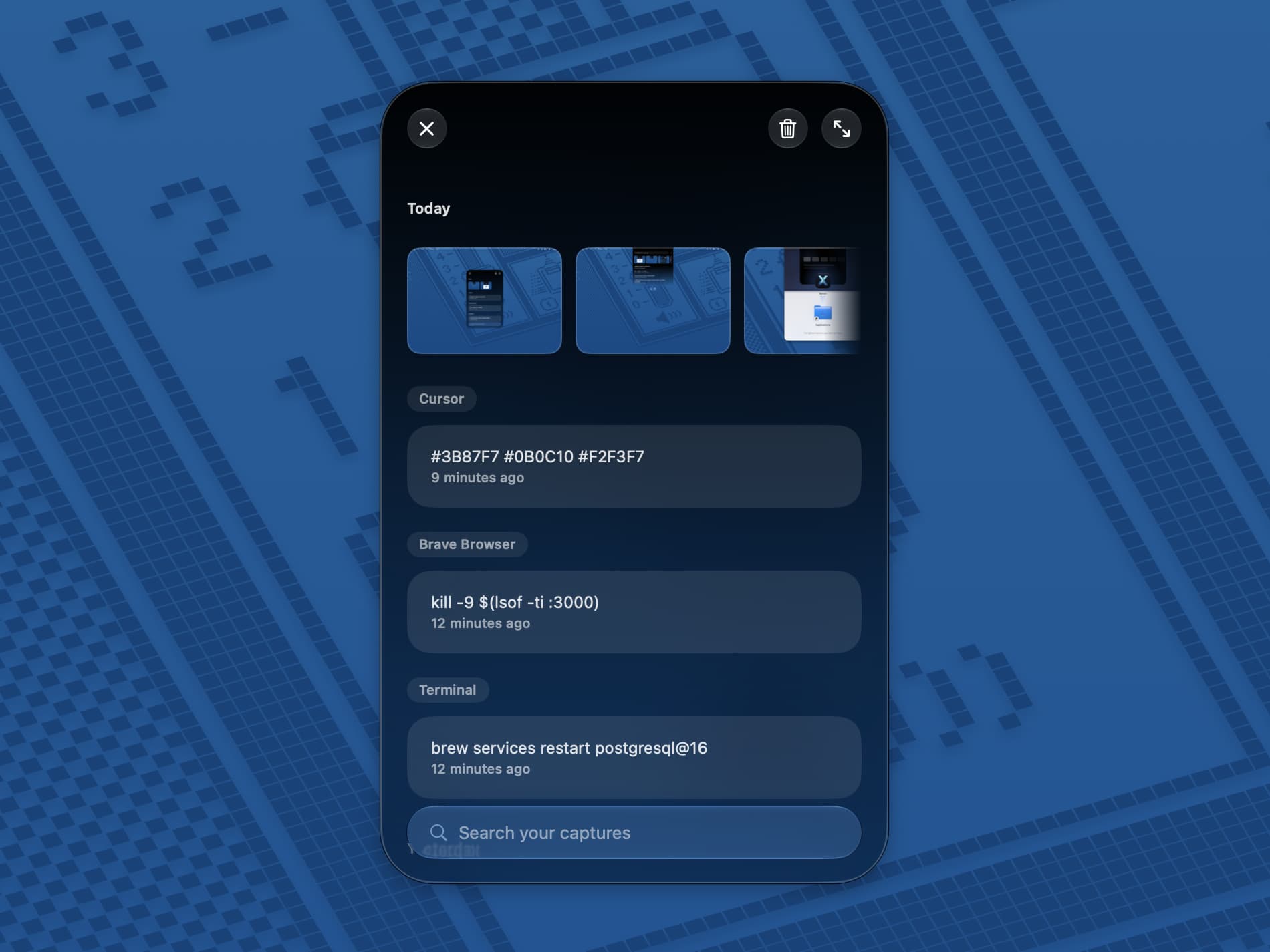
Tap right ⌘ twice
The panel
Your full history, floating over any app, grouped by day with search already focused. On-device OCR reads the text inside every screenshot, so “ECONNREFUSED” finds the terminal shot that shows it. Narrow it with app:Xcode or after:2026-08-01.
Four keys. That is the whole manual.
Double-tap a modifier key. No shortcuts to memorize, no menus to dig through.
Capture from anywhere
Tap left ⌘ twice and grab any part of the screen. It goes through the macOS screenshot tool, so Screen Recording permission is never requested.
Lightness, with receipts.
Measured on the Mac it ships from, not promised in a slide.
CPU while idle
Nothing polls and nothing sweeps. Xenon wakes for a screenshot or a copy and goes straight back to sleep, so Activity Monitor reads a flat zero between them.
Resident memory
A native AppKit binary with no browser engine underneath it. No Electron, no bundled runtime, no second copy of Chromium living in your menu bar.
Energy impact
No background indexing pass and no timer waking the CPU on a schedule. There is no periodic work to drain the battery between the moments you actually use it.
Bytes uploaded
There is no server to talk to and no account to make. Your memory is a folder on your Mac, the OCR runs on your Mac, and Screen Recording permission is never requested.
From the guy who built it
You know how you take a screenshot to show Claude or ChatGPT something, and the little preview slides away before you can grab it?
Now it’s buried in your Finder. So you dig through the files, find it, drag it into the chat. Then twenty minutes later you need it again, or that error from last week, or the thing you copied this morning, and the digging starts over.
I had the same problem, so I built Xenon.
Xenon lives in your notch and remembers everything you screenshot and copy. Hover the notch and it’s all right there.
Whenever something’s worth keeping, I tap left ⌘ twice and capture it. It’s copied automatically. Text is the same: select it, tap left ⇧ twice. When Claude needs an image, I drag it straight out of the notch into the chat. No file paths, no Finder.
The part I use most: Xenon reads the text inside every screenshot, on your Mac. Type “error” and get the screenshot that shows one.
That’s the real difference from every clipboard manager. They remember what you copy. Xenon also remembers what you see. A clipboard manager can tell you what you copied this morning. It cannot find the screenshot that shows last week’s error, because it cannot read what’s inside an image. Xenon can.
And when the shelf isn’t enough, there’s the panel. Tap right ⌘ twice and your whole memory floats over whatever you’re doing: everything grouped by day, search ready to type, a chip for every app. One tap and I’m looking at only what came from Cursor, or only from the browser. It’s the difference between glancing at your desk and opening the drawer.
I’ve been using it every day while building it. It’s become how I move things between my screen and my AI.
I wanted something I could trust with my own work. So Xenon doesn’t sync anything, doesn’t collect anything, and doesn’t need an account. Everything stays on your Mac. It never records your screen, and it idles at 0.0% CPU. Measured, not marketing.
If this feels like something you’d use, join the waitlist
— Ashish